Case study · Dispense
Dispense · Banquets Bar Sales Tracker
A POS-style sales tracker I built that now runs live at a five-star Sydney hotel's banquet bars.
The problem
I work the banquet bars, and every sale used to be tallied by hand. At the end of each function the bar total had to be reconciled against the EFTPOS terminal's settlement printout and then re-keyed into the hotel's MICROS POS, which is slow, easy to get wrong, and always landing at the end of an already long shift.
The solution
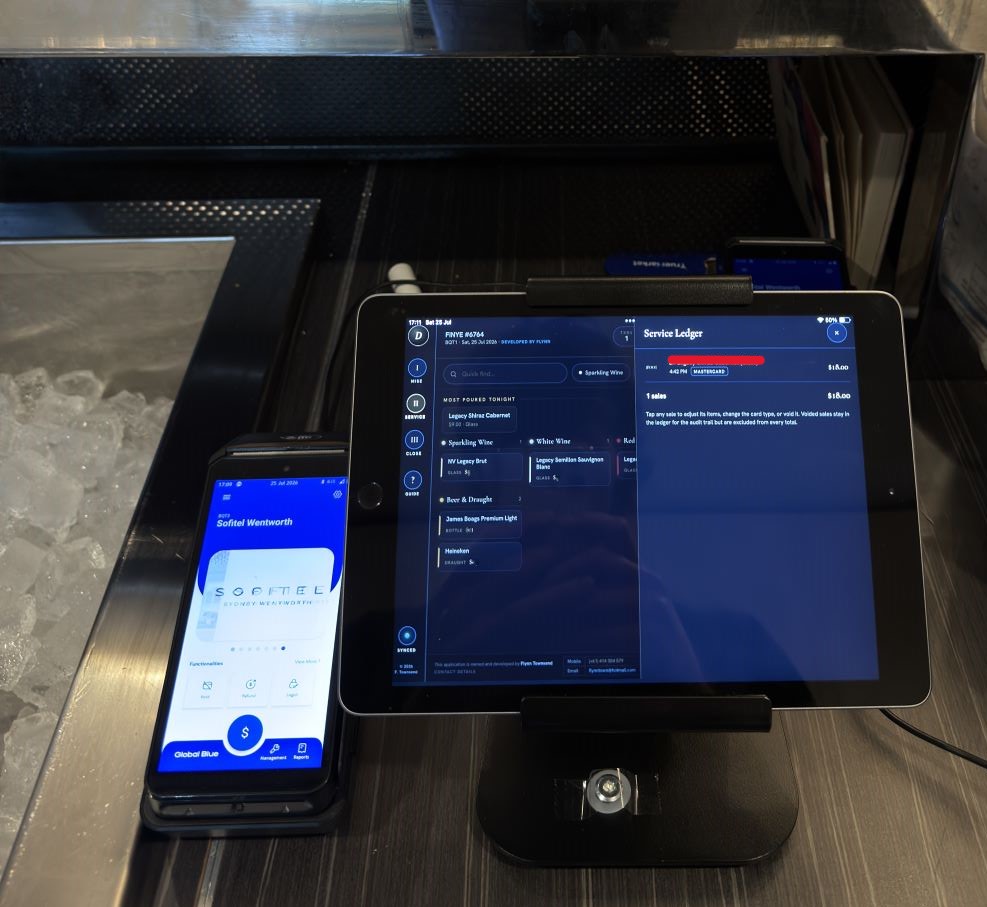
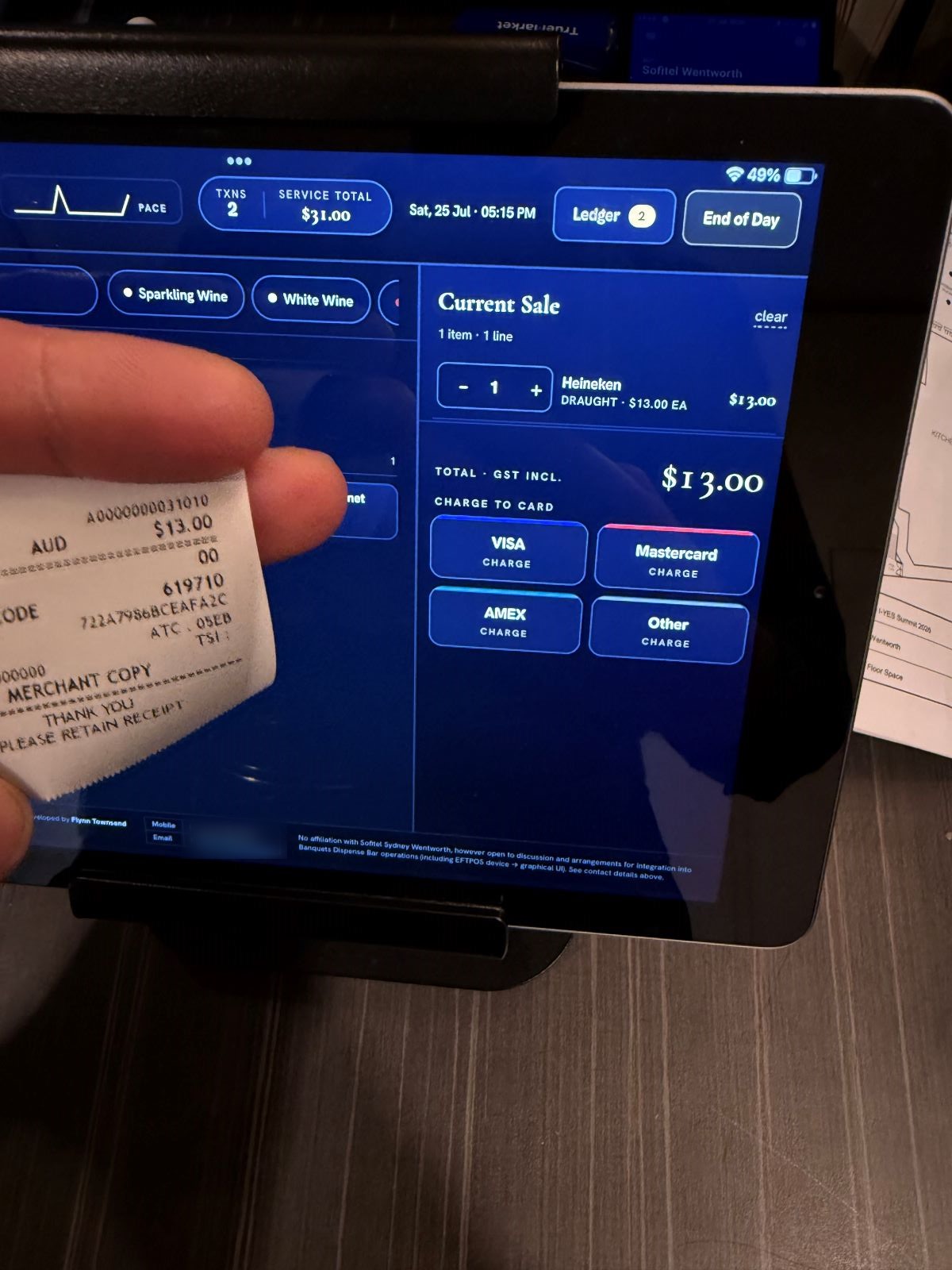
I built an iPad-first web app (PWA) shaped around how a banquet bar shift actually runs: set the night's bar up before doors ("Mise en Place"), ring sales through service with a two-tap flow built for speed in the dark, then close with an end-of-day screen that reconciles card totals against the EFTPOS settlement and produces a MICROS-ready report. One tap to copy it across, and no mental arithmetic at midnight.
I want to be clear about what that reconciliation actually is: Dispense does not integrate with the EFTPOS terminal. The card type is read off the printed receipt and entered by hand, and the settlement figures come off the printout at close. The app keeps its own independent record and checks it against the terminal's, which is the whole point.
Interactive
Screen by screen
Not a mock-up. The tracker the bar actually runs on.
Mise en place before doors, a two-tap sale flow built for speed in the dark, and an end-of-day close that reconciles card totals against the EFTPOS settlement and prints a MICROS-ready report.
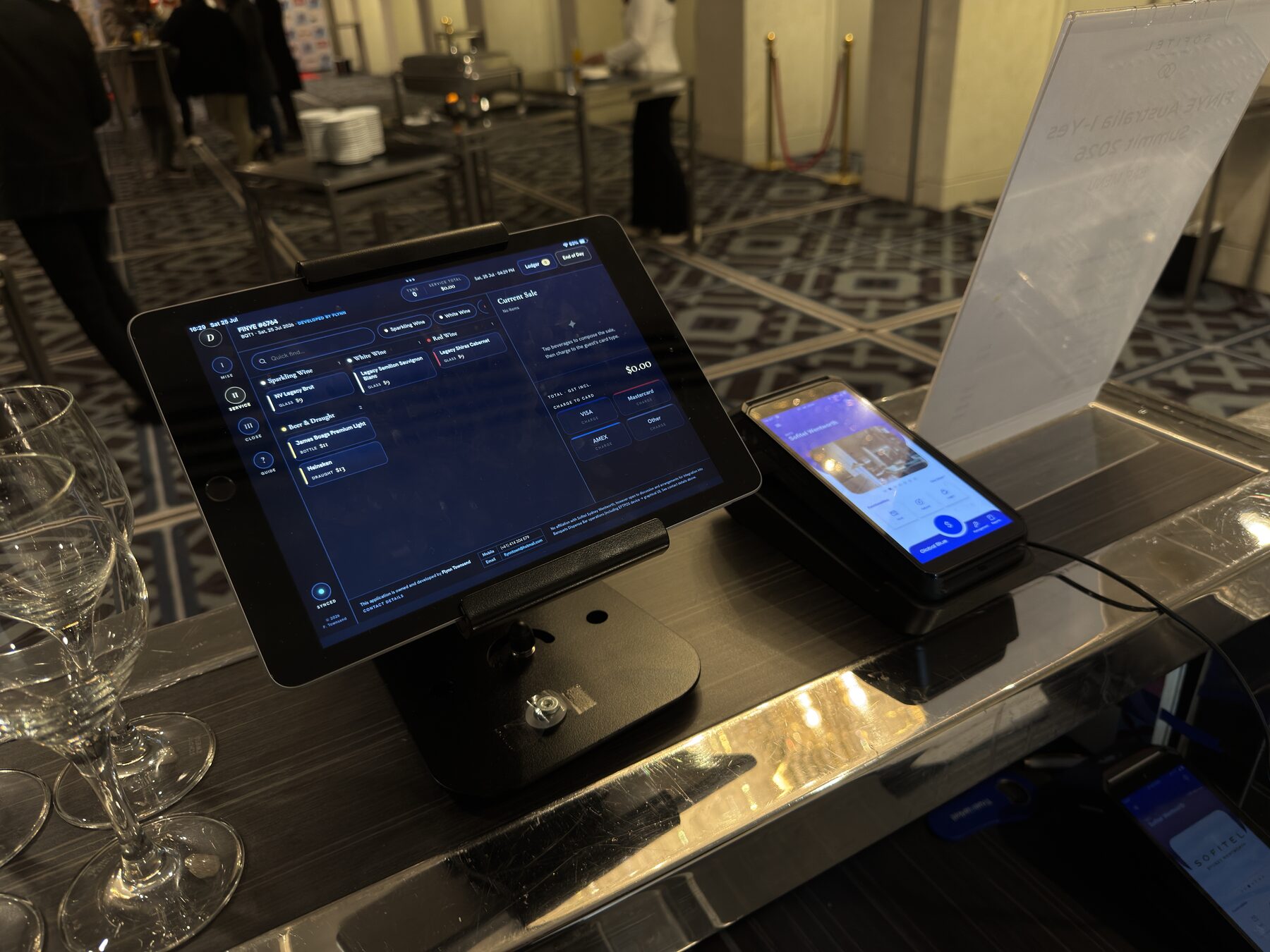
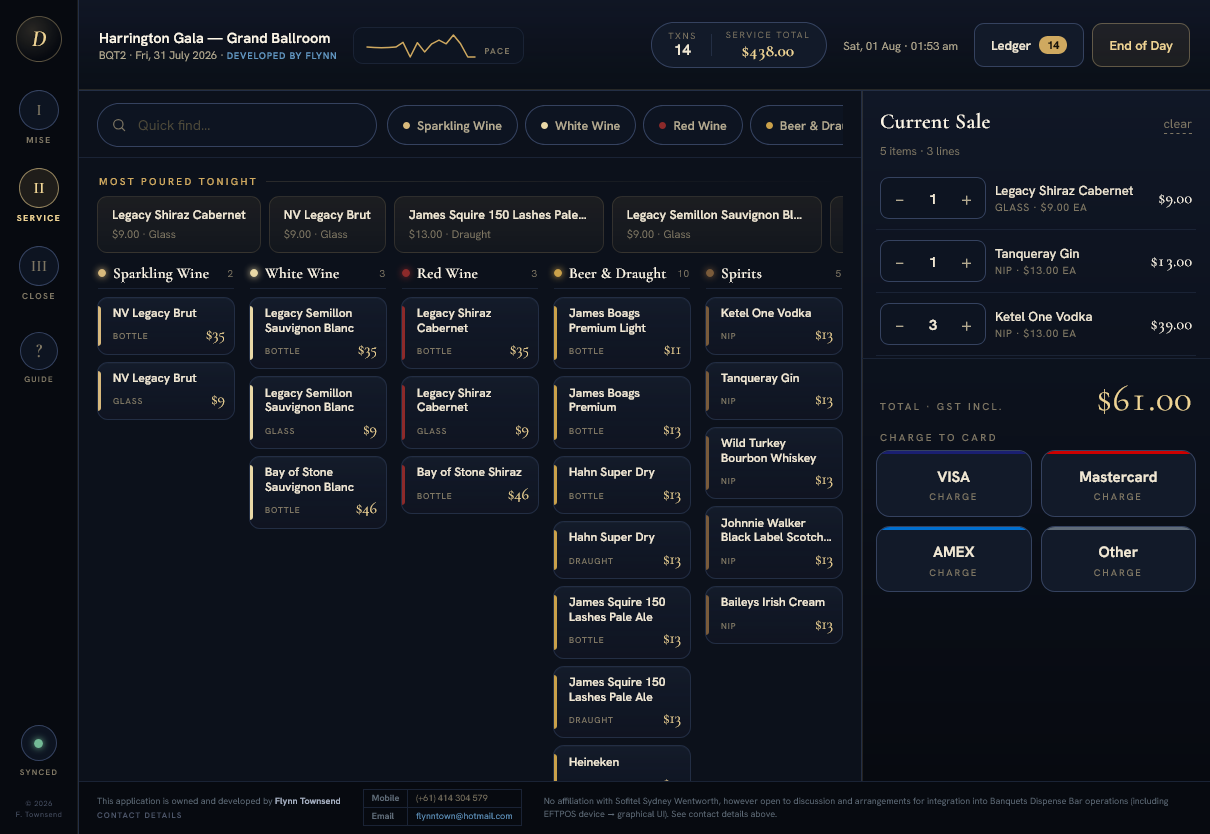
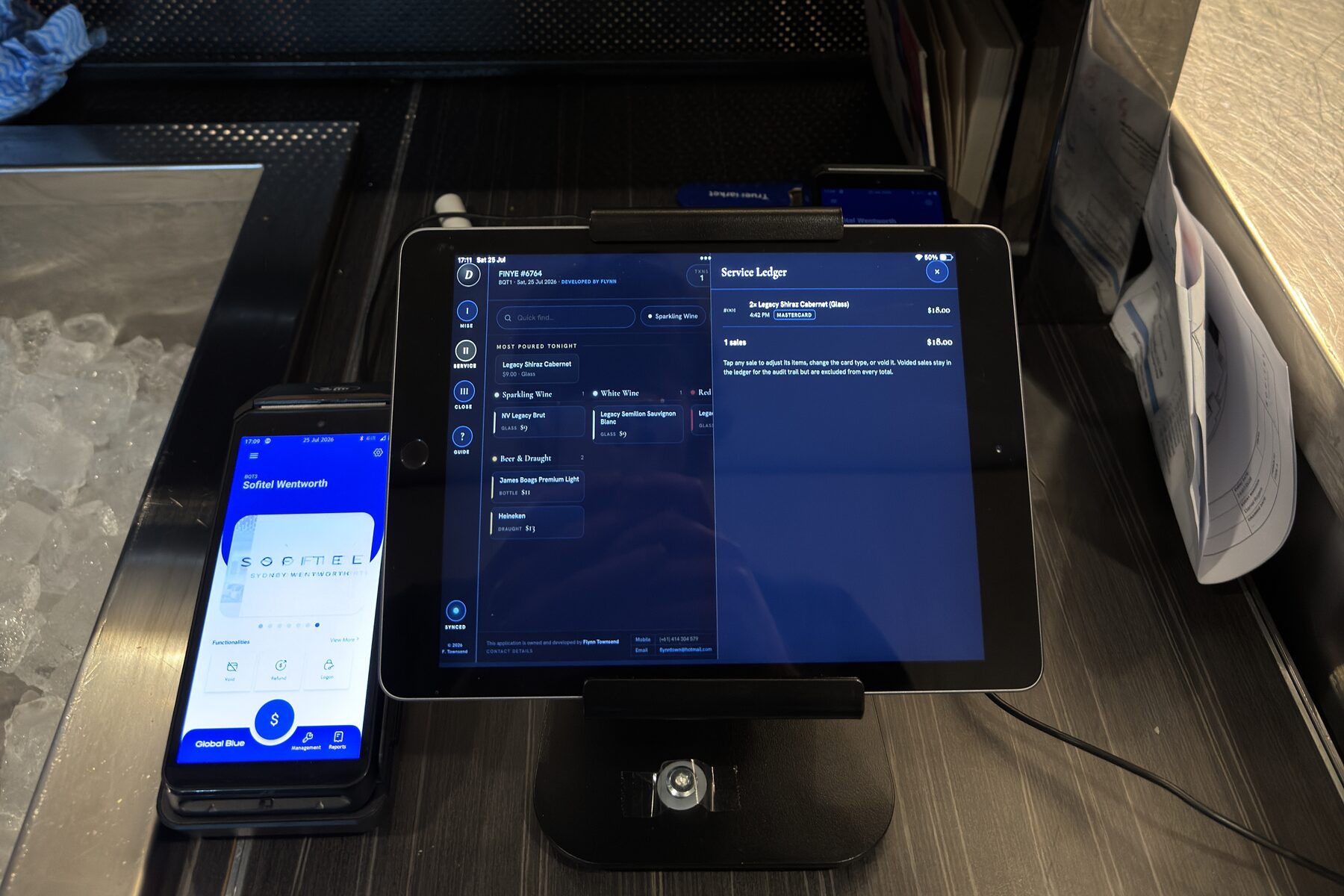
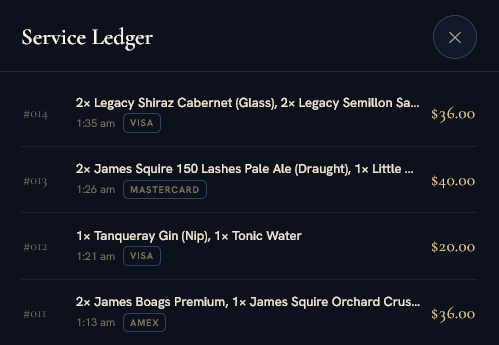
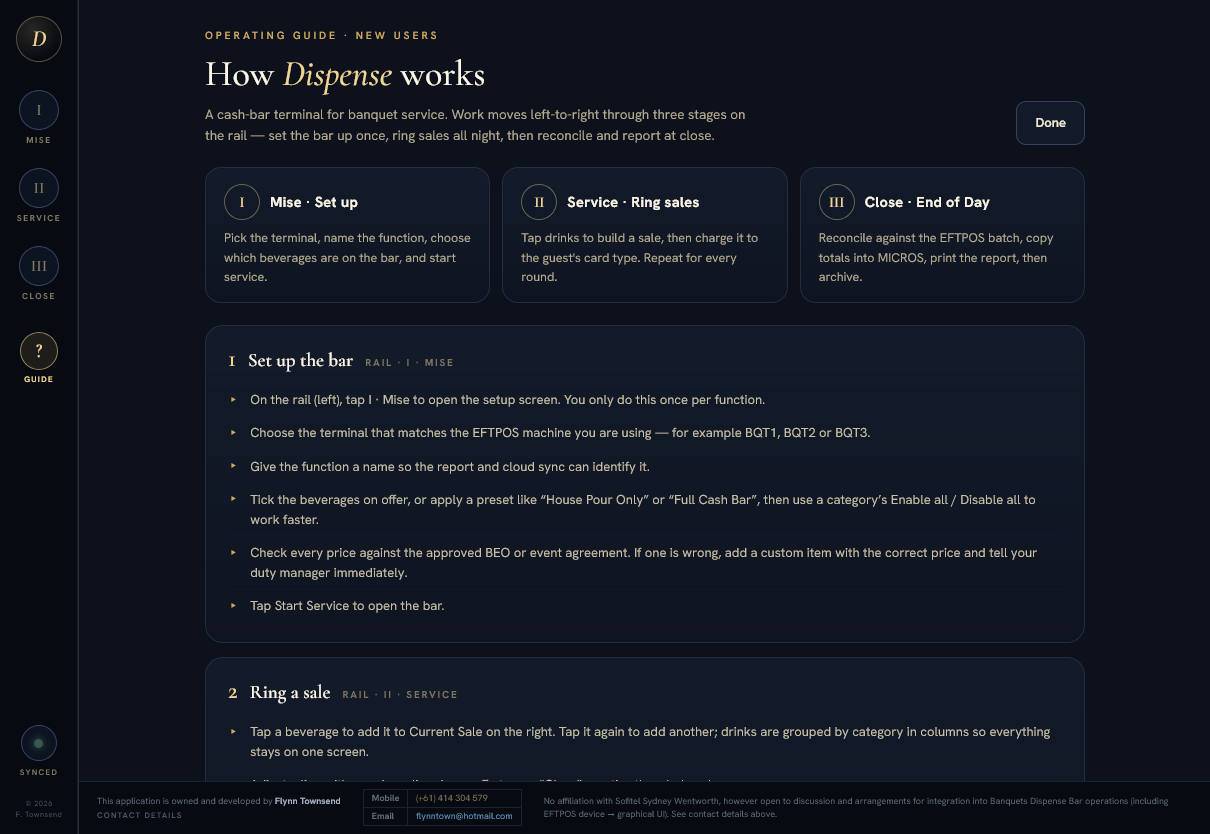
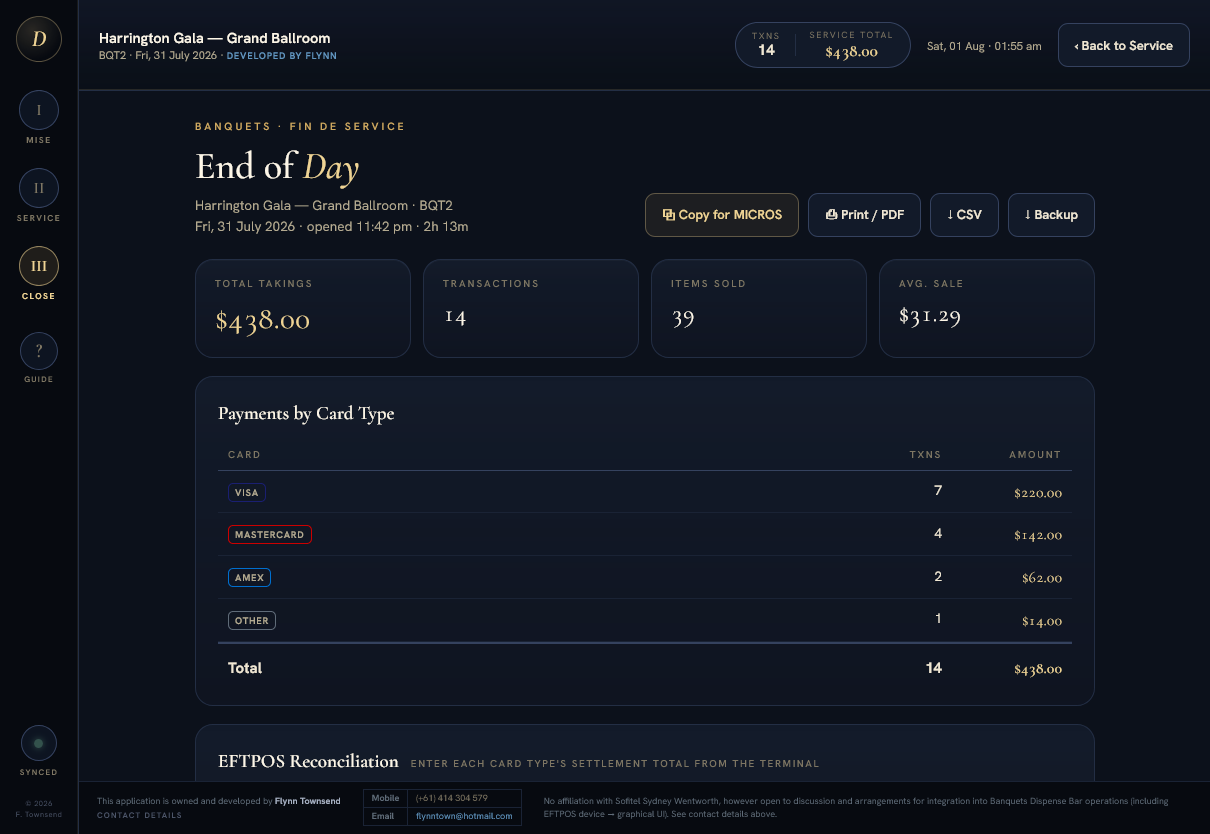
This is not a portfolio mock-up. It is the tracker the bar actually runs on.
Technical breakdown
-
Offline-first PWA
Installs to the iPad home screen and keeps working with no network. Every mutation persists to localStorage, and a service worker caches the app shell so a dropped connection mid-service costs nothing.
-
Cloud sync with row-level security
State syncs to a Supabase (Postgres) backend keyed by venue and terminal, so a replaced iPad resumes exactly where the old one stopped. The client ships only a publishable key, and row-level security policies scope it to a single table, so the browser can touch nothing else.
-
Tested core logic
Report maths, preset resolution and the item×payment matrix live in a pure, DOM-free module exercised by a Node test suite. The numbers the hotel reconciles against are covered by tests.
-
Iterated in production
Version 1 shipped and ran live; feedback from real shifts drove a ground-up redesign (Dispense): cleaner service flow, EFTPOS reconciliation, and the MICROS hand-off that removed the shift's most error-prone step.
-
Reconciliation, not integration
Dispense has no connection to the EFTPOS terminal and no access to the banking rails. Nothing is read from the terminal automatically. When a card payment clears, the operator reads the card type off the printed merchant receipt and enters it into the sale by hand; at close, the app's card totals are checked against the terminal's settlement printout. That cross-check is manual by design, because it compares two records that were kept independently. If they disagree, something is wrong and you can see it on the night.
-
Honest scale
One venue, a handful of terminals, real users every function. Built, deployed and maintained solo alongside study and the job itself.